Run your studio.
Show up for practice between lessons.
Cadence SM brings scheduling, invoices, attendance, and family messages together for independent music studios. Students get their teacher's practice plan—with a tuner, metronome, and timer—in the Practice Room.
Early access is invitation-led. Send us a short note and we'll set your studio up with you — there's no instant sign-up, and no demo to sit through.
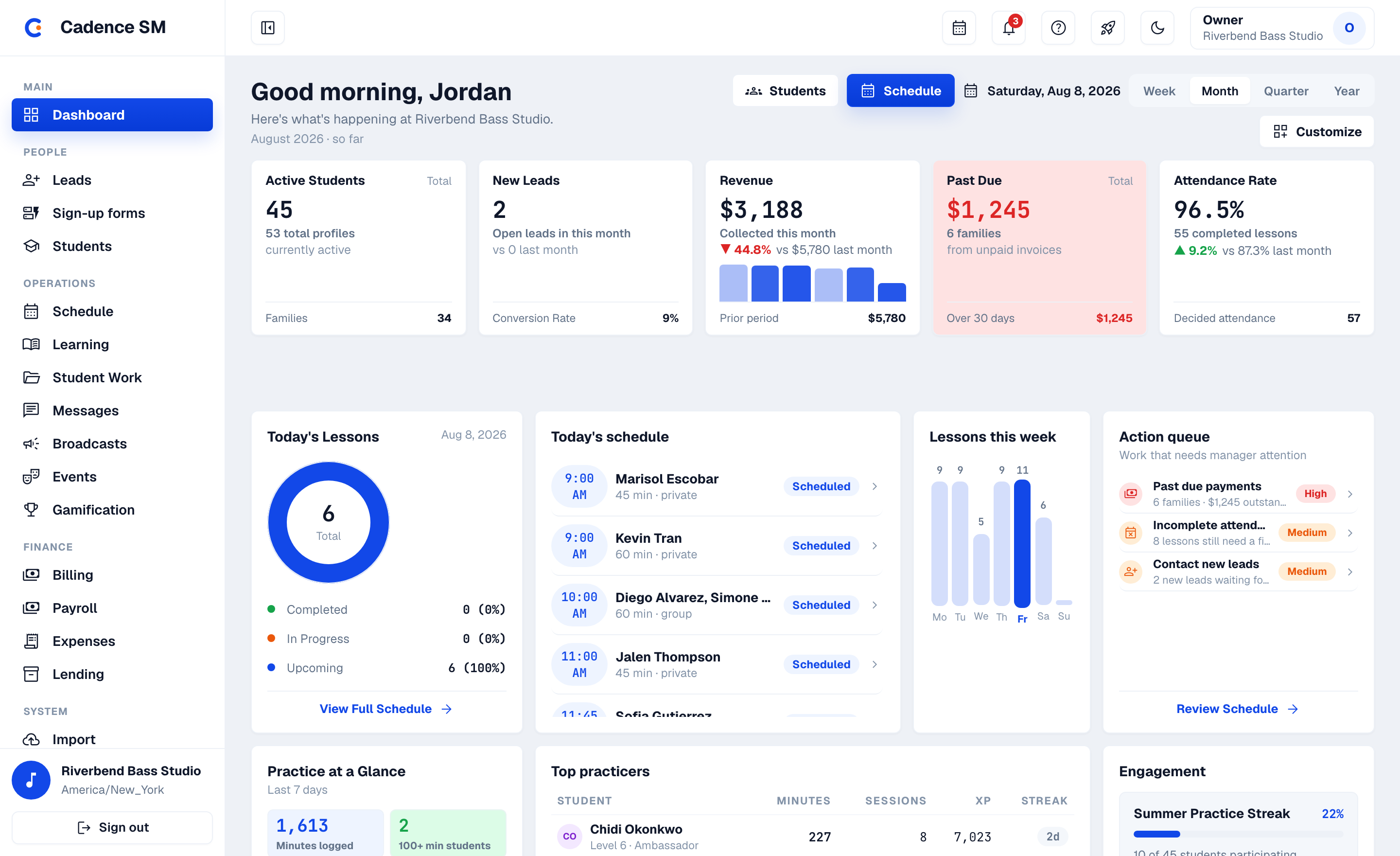
Studio management that goes beyond the office door. Into the Practice Room.
The calendar, invoices, and roster keep your studio running. Between lessons, students need a clear next step.
The Practice Room carries your teaching into that time: your plan, item by item, with a tuner, metronome, and timer close at hand. Logged practice activity, reflections, and recordings give you something specific to build on at the next lesson.
Cadence SM is built by studio owners, working teachers, and university music professors. We built the Practice Room because supporting students between lessons is part of our work, too.
Studio software doesn't usually come with a tuner
This one does. The student's half of Cadence SM is the Practice Room: a chromatic tuner, a metronome with a rhythm trainer, and a guided session that walks the teacher's plan item by item against a daily goal — four tabs, Today · Practice · Music · Me. Students sign in with a PIN rather than an email address, it runs in any phone's browser, and it adds to the home screen like an app without anyone visiting an app store.
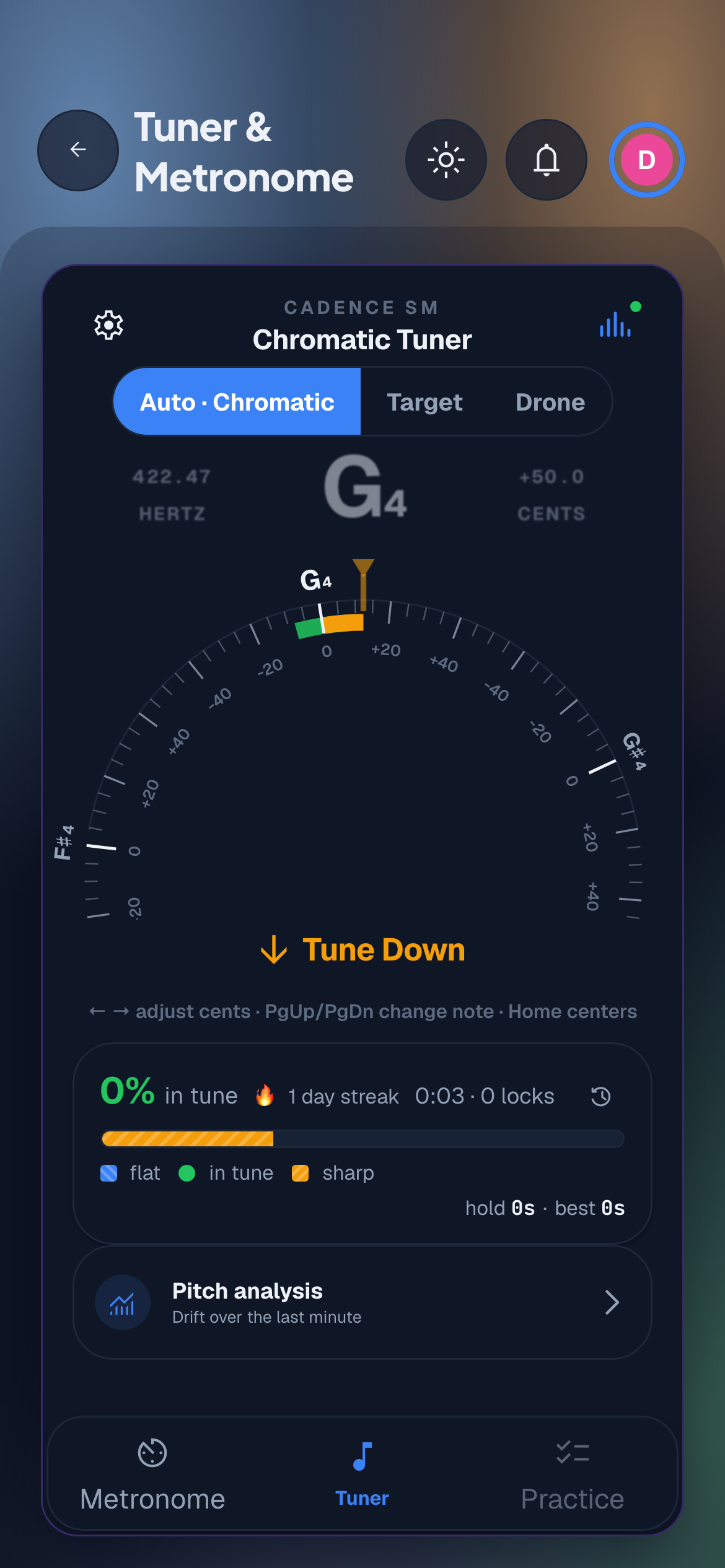
The tuner It listens, names the note, and says which way to turn the peg.
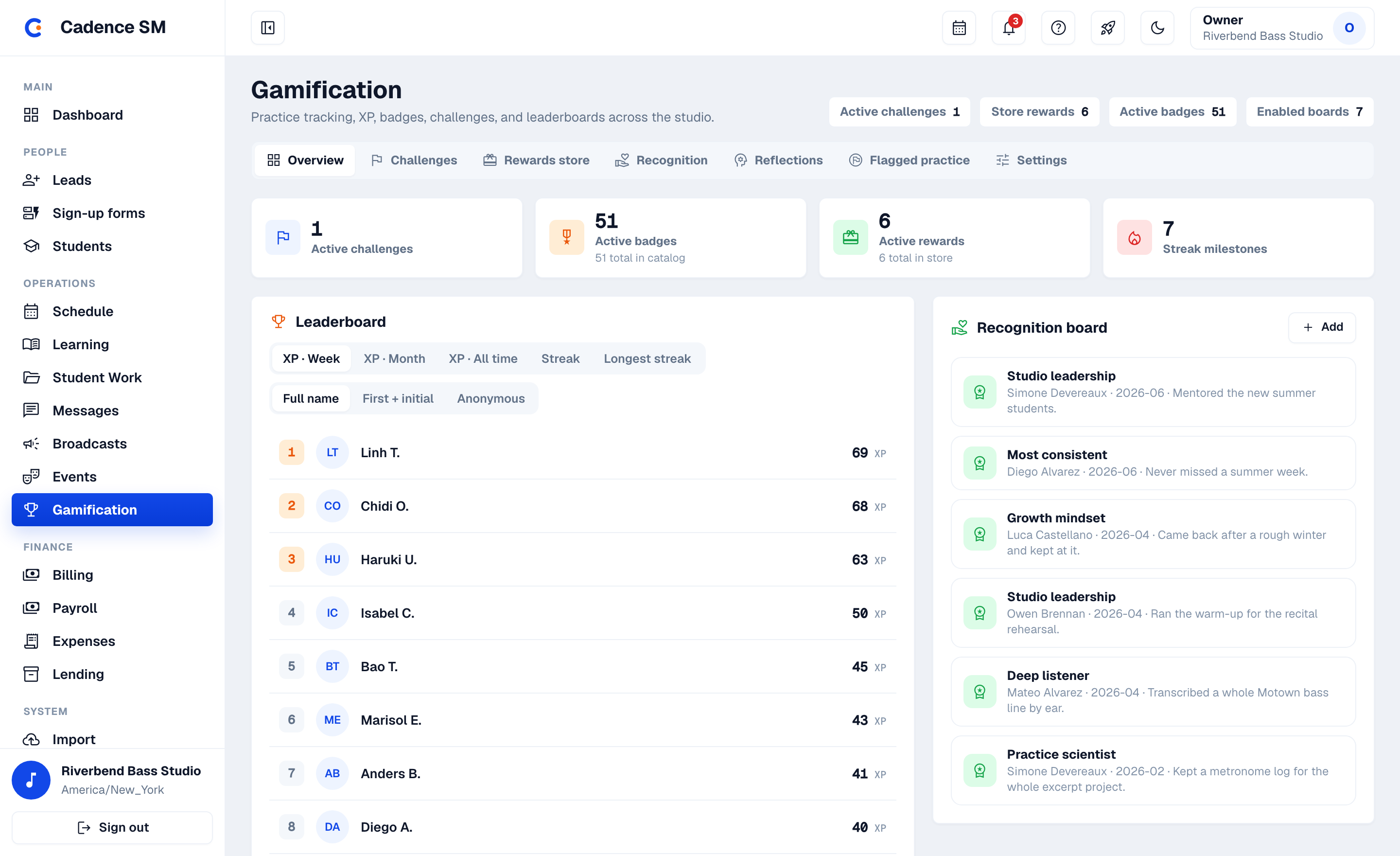
A motivation economy you actually control
The XP values, the level curve, what a streak day has to include, what the store stocks — all yours to set. And the platform enforces ceilings no studio configuration can lift, so grinding XP never pays. It's built honestly enough that you can tell parents how it works.
Feedback that arrives before the next lesson
A student records a take in the portal and sends it. It lands in the staff review queue, the teacher's response goes back to the student's portal — and a push notification tells them it's there, so the reply doesn't wait for Tuesday. Answering it earns XP. The week between lessons stops being a story you have to take on faith.
Meanwhile every piece moves through a real lifecycle: assigned, learning, passed, performed — with the sheet music and a reference recording attached to the piece itself, so the student is never hunting for the part. Students watch "Performed!" land on their own timeline. Three years in, "what has she actually learned here?" has a list instead of a shrug.
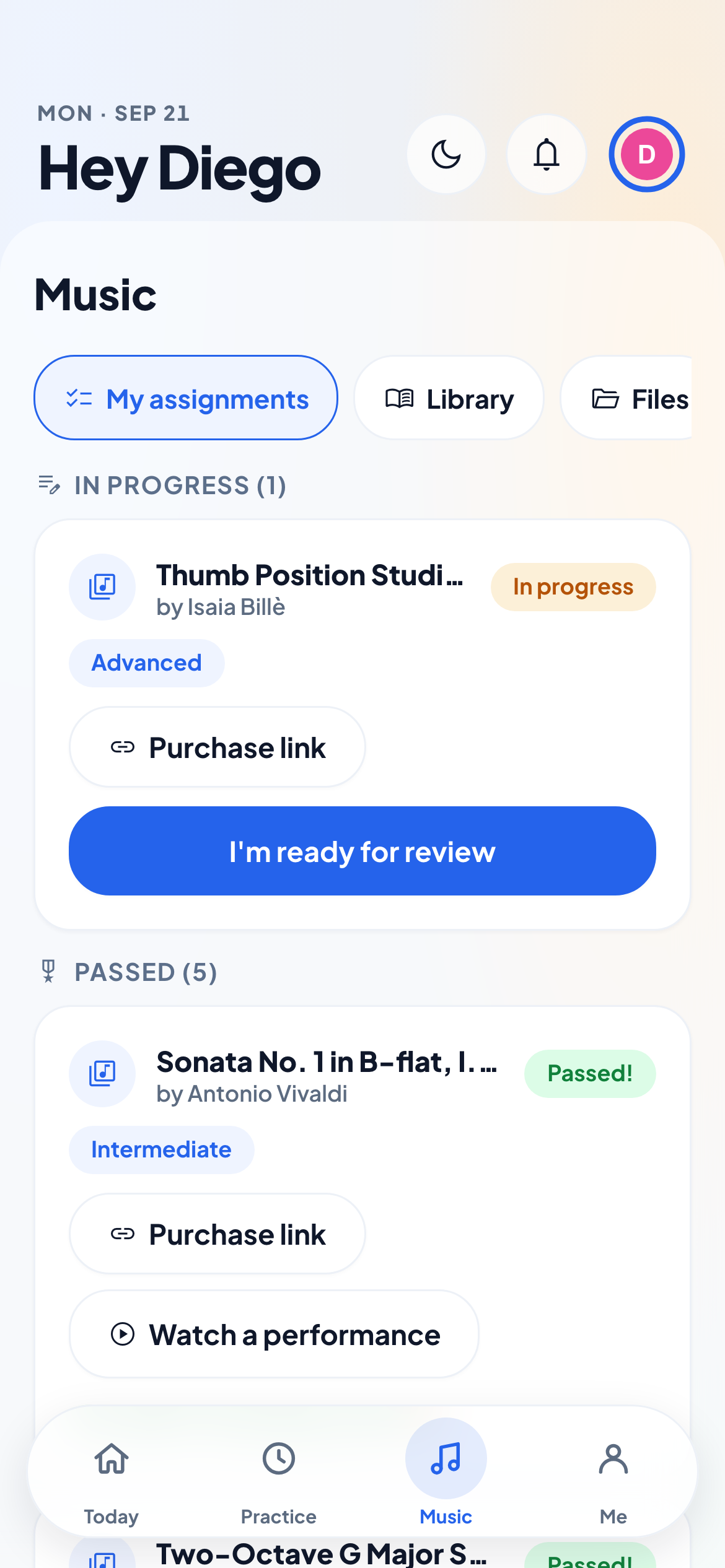
Their repertoire, their record Sheet music and a reference performance attached to the piece they're working on.
The calendar and the invoice finally agree
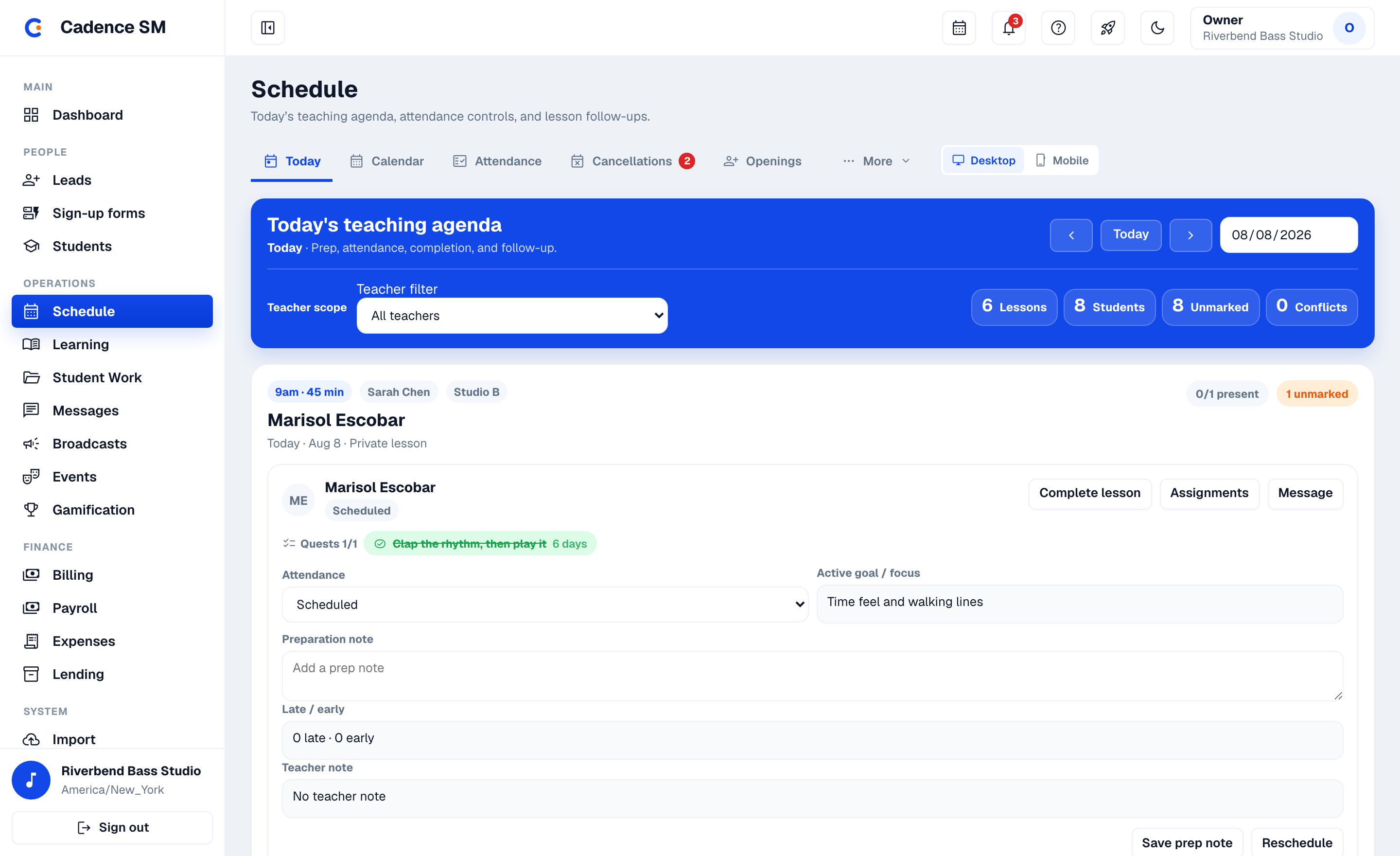
Recurring solo and group blocks materialize into real lesson occurrences. Attendance — marked once — is what drives both the family's invoice and the teacher's pay run, so the two can't disagree. And when a family cancels inside your policy, the credit is issued automatically instead of negotiated by text. No end-of-month reconciliation weekend.
- Recurring blocks with conflict detection across teachers, rooms and shared equipment
- Invoicing that runs itself — credits, recurring discounts, late fees, refunds, and per-lesson billing for the families who need it
- Attendance feeds both the family's invoice and the teacher's payroll run
- Cancellation policies with a stated rule — you set the notice window, the emergency-pass allowance and when credits expire; a request inside the window auto-approves and issues the credit, and everything else routes to staff. The policy is the bad guy, applied identically to every family.
- Parent self-serve rescheduling and swaps — capacity-locked slots, and the studio approves every trade
- Stripe payments into the studio's own account — Cadence takes no percentage
- Finance in one place — Billing Ops, Payroll, Expenses and Lending under a single sidebar entry
From a form on your website to a family on your calendar
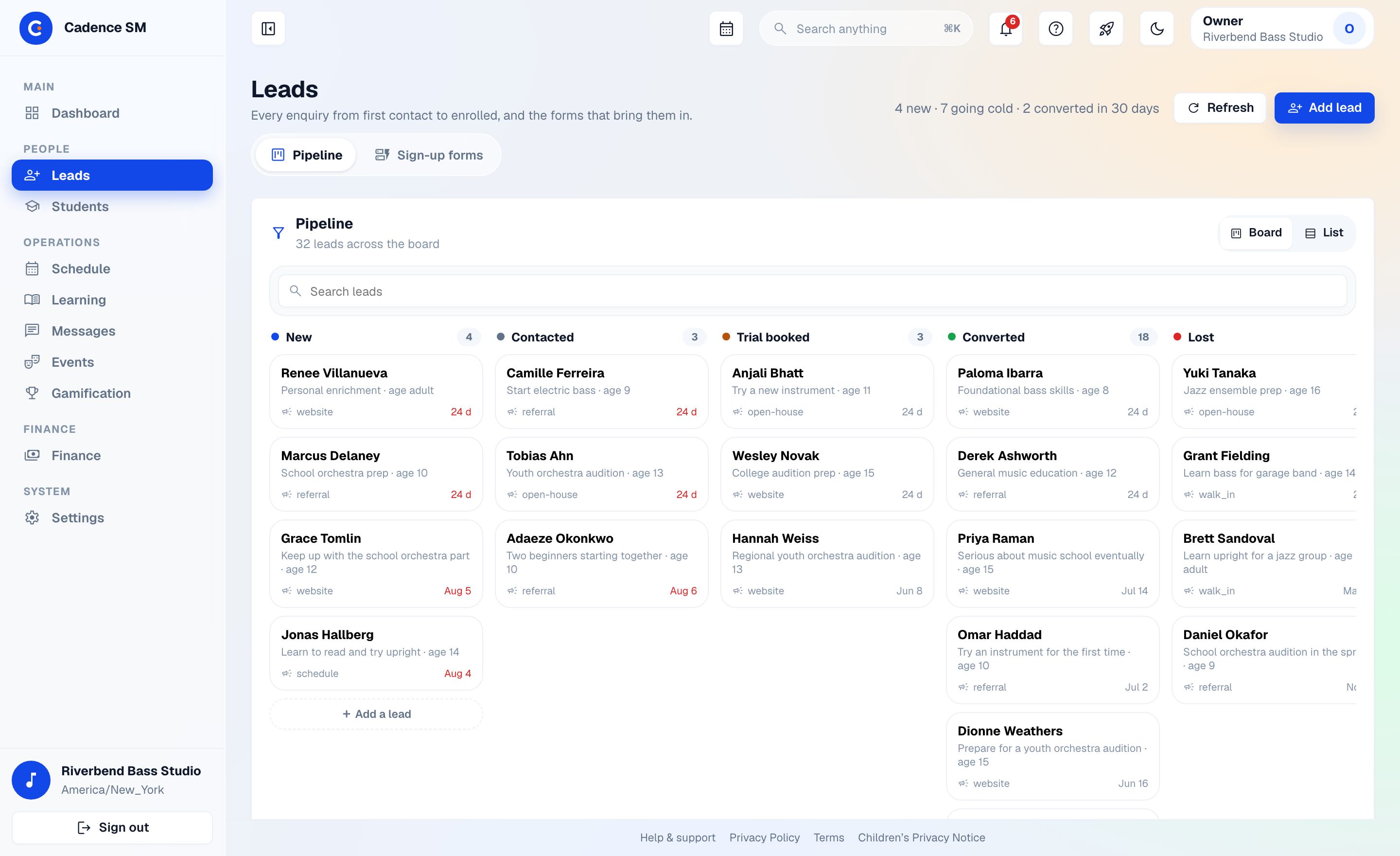
Drop an embeddable lead form into the site you already have — your fields, your colors, your copy. Inquiries land on your leads board with the goals the family typed in themselves, and you get pinged on every one.
- One embed, one script tag — CAPTCHA, a honeypot field and rate limiting do the spam work invisibly
- A pipeline board, not an inbox — New, Contacted, Trial booked, Converted, Lost: every inquiry sits in a column with a next step
- One-click conversion: a lead says yes, one action creates the whole family account — no re-typing
One login, every child — and a way in that isn't a password reset
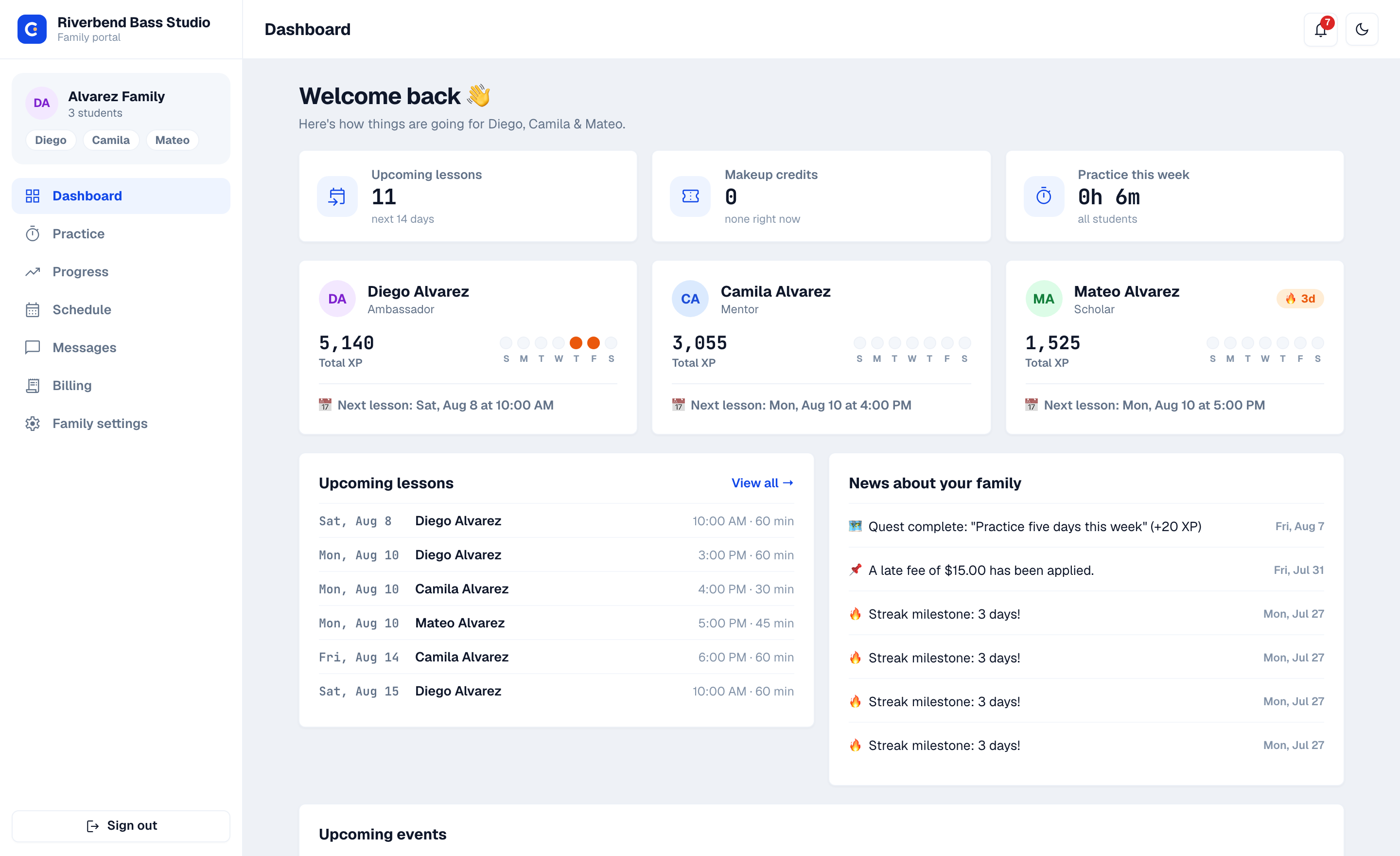
Parents get a real portal, not a payment link: five tabs — Home, Schedule, Progress, Messages, Billing — with every child on one screen. Families don't sign themselves up; the studio sends an invitation, the parent fills in their own details, and the account is live. It runs in any phone's browser.
- Families join by invitation — staff send an enrolment link, the parent enters their own contact details and adds their children, and the roster fills itself in instead of being retyped
- The paperwork handles itself — contact details, a card or bank account on file, event signups, swaps and absence requests
- Lesson times land in the calendar they already use — a subscribed feed keeps Apple, Google or Outlook current as the schedule changes
- Both parents get told — notifications fan out to co-parents on the account, so "nobody told me" stops being a conversation
- Per-scope consent for media, messaging and recordings — each one grantable and revocable on its own
- "Can't make it" on any lesson previews what the studio's policy will do before the parent confirms
The lesson, transcribed. The audio, never sent anywhere.
Record a lesson and Cadence SM transcribes it on servers we operate — a speech model running locally, never a third-party AI service. The audio is deleted the moment the job finishes, whether it succeeds or fails. What's left is a transcript your studio controls: who can read it, and how long it's kept.
- Shifting to fourth position — keep the thumb relaxed and drop the bow closer to the bridge
- Second phrase at 72 bpm, then speed it up slowly to your goal tempo 90 bpm
- Next week: we will work on measures 24–31, listen to the start of each note and make sure you create the note shape you want
Built for studios that teach minors
Tenant isolation is enforced by the database itself — every table, every query, not by application code remembering to filter. Students sign in with PINs, not emails. Teacher–student messaging happens in per-student channels a parent can see, and the system has no mechanism for a private teacher–minor DM. Where lesson transcription is used, it is processed only on servers we operate — audio is never sent to a third-party AI service.
Three steps, and none of them are "watch a video"
Early access is invitation-led, so onboarding is a conversation rather than a sign-up form. Here is the whole of it.
Founding studios, this is your entrance
We're onboarding a small group of studios and setting each one up personally — your real roster, your real rates. Founding studios lock in the founding rate for as long as their subscription stays active. A sentence or two about your studio is plenty to start.
Request early access
Early access is invitation-led, so this starts as an email to a person rather than a sign-up form. Tell us about your studio and we'll reply — usually within a day or two.
Email us about early access